SERVICE PACKAGES

Drei Servicepakete von Substantio: Onboarding, Basis und Full

DECLARATION GUIDES

INFOS & NEWS

Here you can find out the latest news about our software or regulations.

Our videos explain various applications step by step.

REGULATIONS

REGULATIONS HIGHLIGHTS

ALL REGULATIONS

New features of the Substantio product compliance software

Substantio 2.2: More Usability, More Features, More Efficiency

Our software is constantly evolving – with practical new features that make a real difference. Version 2.2 comes packed with optimizations and powerful updates that simplify your material compliance processes even further.

Pro tip: Discover the new Compliance View – we bet you’ll love this feature!

Our New Compliance View: Instant Insight for Massive BOMs

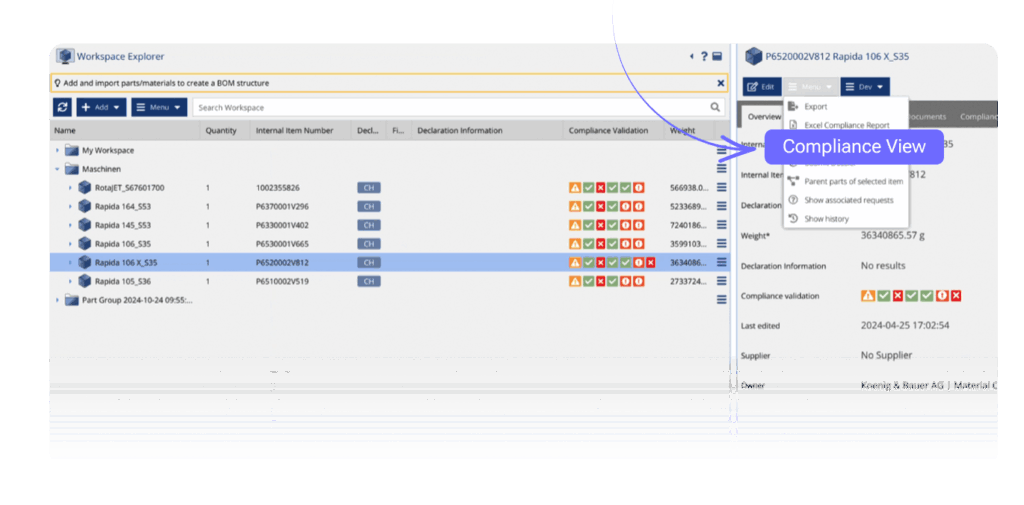
1. In your workspace, select the desired part.
In the panel on the right-hand side, choose “Compliance View” from the menu.

Substantio software screenshot: Compliance View in the Workspace Explorer for large BOMs

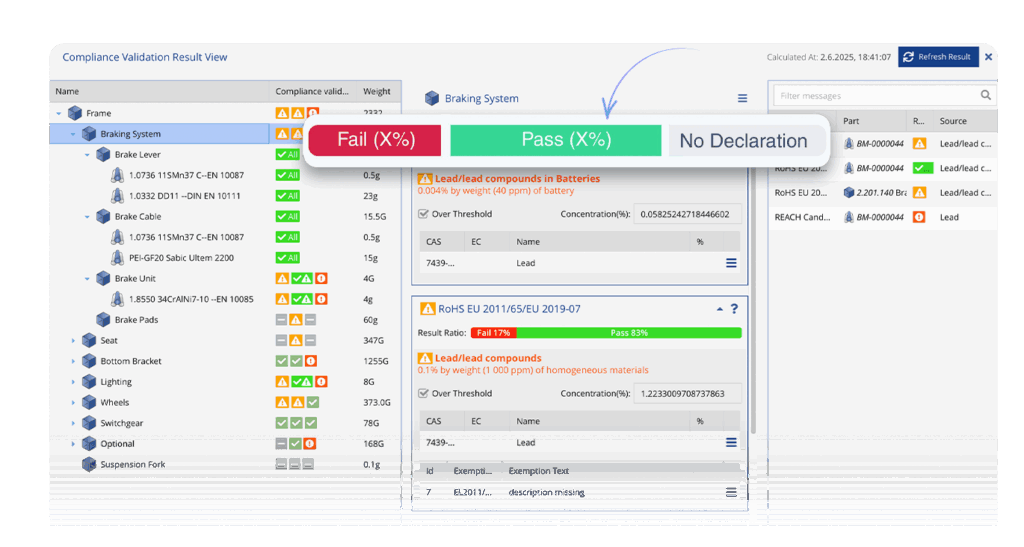
2. Substantio will instantly show you – in a clear visual bar – what percentage of parts are declared and compliant (or not) for each regulation.

Substantio software screenshot: compliance view of a bill of materials with fail, pass and no declaration

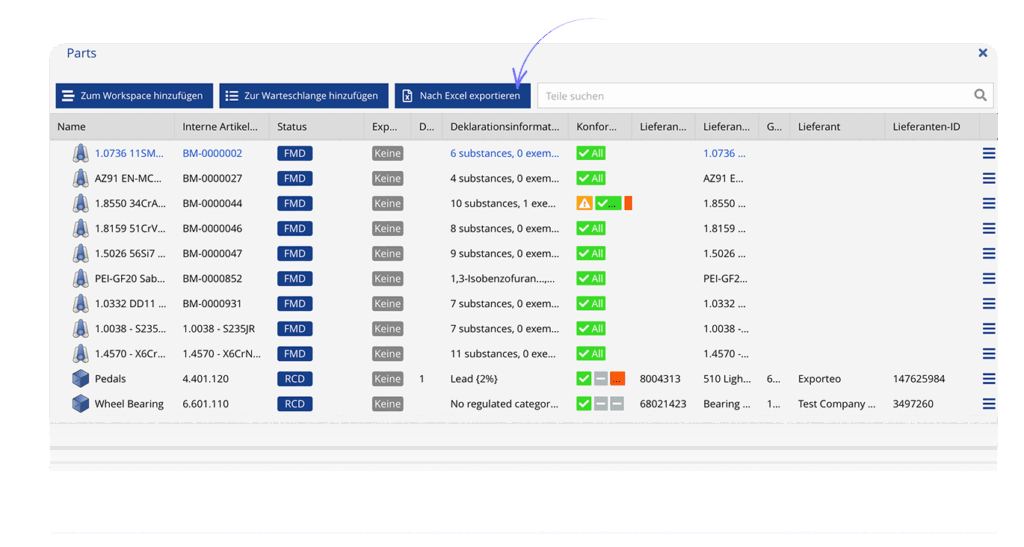
3. Click the red, green, or gray bar to see a detailed list of the relevant parts. You can export this list easily as an Excel file.

Substantio software screenshot: parts list showing compliance status per regulation, with Excel export

TIP: Our compliance calculations run in the background or overnight – so results are always ready, even for extremely large BOMs.

New Declaration Status: “Acknowledged”

Make managing declaration requests even easier:
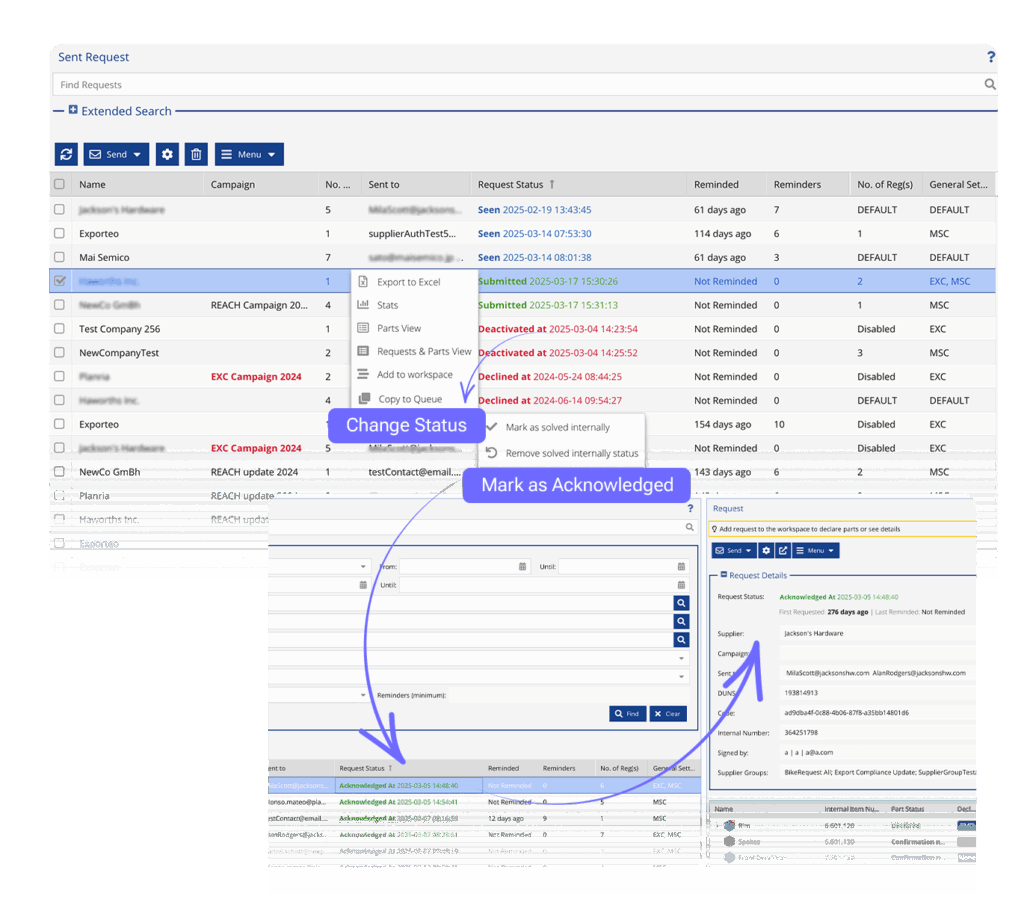
If you’ve sent a declaration request to a supplier, you can now mark it as “Acknowledged.” This status removes the request from the supplier’s view and allows you to filter it from your own list.

Here’s how:

  • Select the sent request
  • Right-click to open the context menu
  • Click “Change status”
  • Set it to “Acknowledged”
Substantio software screenshot: setting a declaration status to “Acknowledged” via the context menu

New Declaration Status: “Reminded”

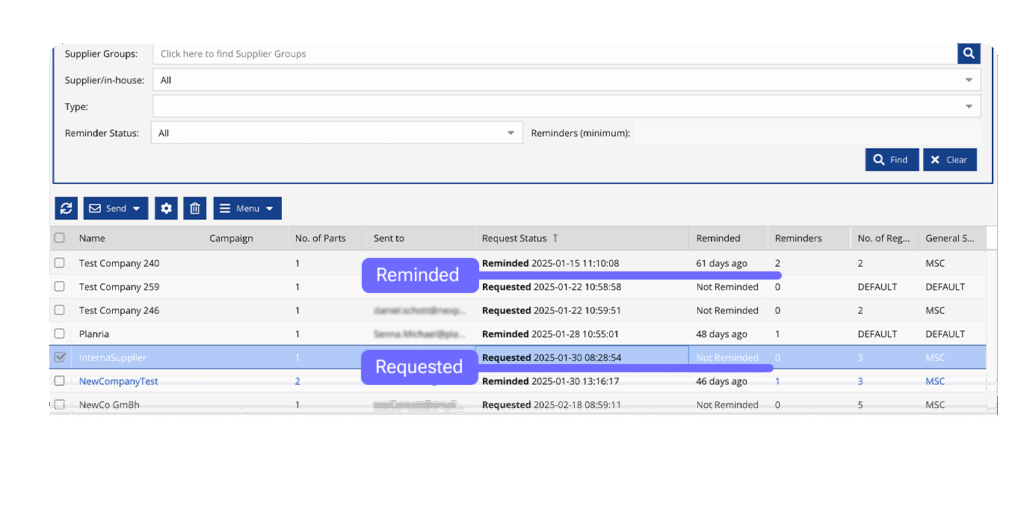
Just like “Confirmed,” the new “Reminded” status helps you keep better track of your requests.
Mark any request you’ve followed up on with this status and filter accordingly.

Substantio software screenshot: request list with the new “Reminded” declaration status

Grouping Options for Declaration Requests

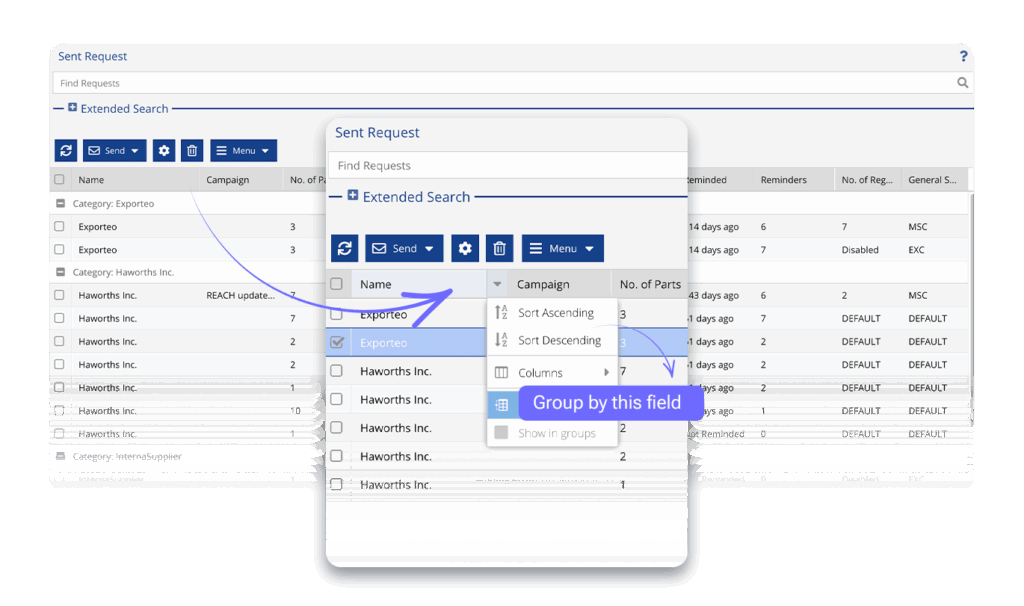
You can now group your sent requests by different columns or statuses to get targeted insights at a glance.

To do so:

  • Open your list of sent requests
  • Click the small arrow next to the column name
  • Select “Group by this field”
  • For example: group all requests by company
Substantio software screenshot: grouping sent declaration requests by company

User Interface Updates

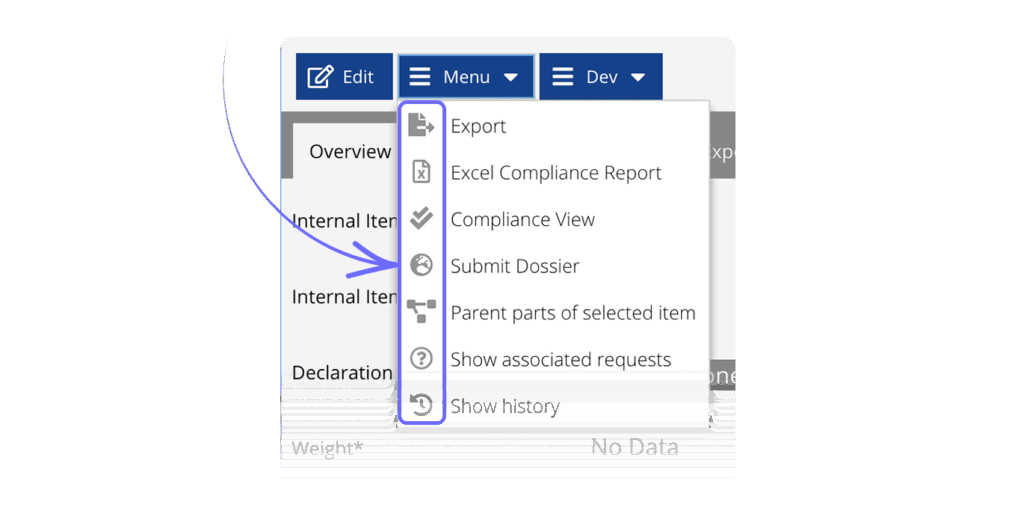
In addition to updates to our dashboard view, we’ve added new icons to make navigating faster and more intuitive.
The icons visually indicate content types and help you find what you need more quickly.

Substantio software screenshot: new menu icons for export, compliance view and dossier submission

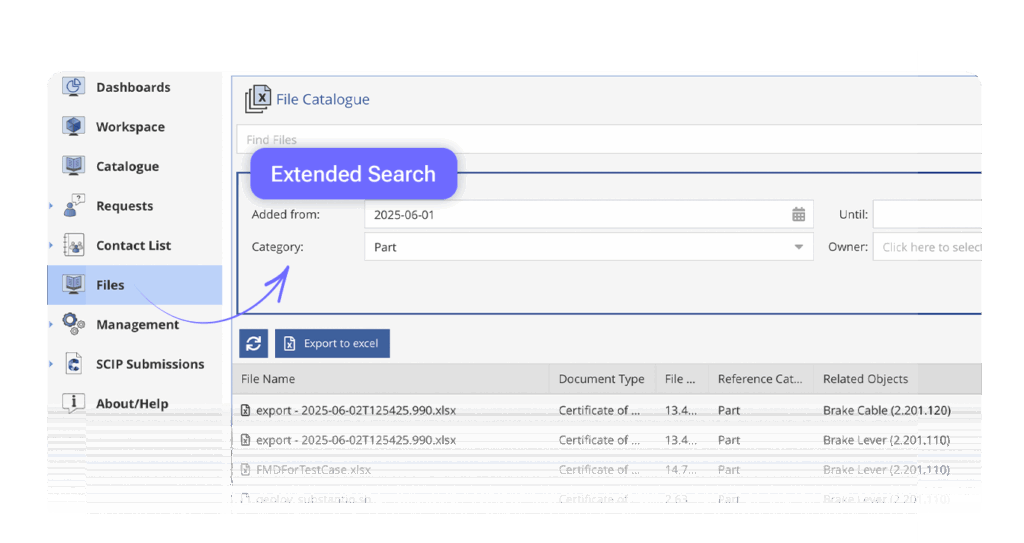
The New File Search Function

Previously, files had to be found via their associated components. Not anymore. You can now search directly by file name –  with filters for upload date, file type, or content.

Looking for all files with “export” in the name that were uploaded last month? Just two clicks and there they are. Even supplier attachments are now captured as searchable files – giving you more clarity and less time spent searching.

Substantio software screenshot: new file search in the file catalogue with extended search

Subscribe to our Newsletter!

Stay in the loop on product compliance, regulations, and new software features. Get our news!

When you send the form, the data you provide will be processed for the purpose of handling the enquiry(s) by Substantio GmbH, Altendeich 6, 25836 Vollerwiek. Your data will be processed strictly for the intended purpose. For further information on the processing of your data within our website, please refer to our Data Protection Information.